2015 Subaru WRX Base Radio: Full Android Head Unit Install
Start-to-finish Android head-unit swap on a 2015 WRX with the base radio — vent screws, trim, plug-and-play harness, steering-wheel-control programming, GPS, the OEM antenna and a tight final fit.
Full video (46 min): Android Head Unit FULL INSTALL VIDEO! BASE Subaru WRX STI FORESTER 2015 CAR AUDIO rk3188 · John's YouTube channel
Get the parts
- Search Amazon for a 2015 WRX Android head unitSearch on Amazon ↗
- Newer Seicane 2014–2016 WRX Android unit (link from the description)Buy ↗
As an Amazon Associate I earn from qualifying purchases. Some links are affiliate links.
Yes — you can install This kit on the Filmed on a 2015 WRX base radio, the most common setup. John says 2016 and 2017 are very similar. This is not the Harman Kardon package — he had already done that install on his own car with a 46 min DIY job. Start-to-finish Android head-unit swap on a 2015 WRX.
Overview
This is the long, start-to-finish install on a 2015 WRX with the base radio — the setup John says most owners actually have — after he had already put a unit in his own Harman Kardon car. He donated that system to his brother for Thanksgiving when a November order had not arrived, then they film this swap together. Two screws free the vents so the bottom trim can pop out, the factory radio comes out, and they check the harness before committing: it is largely plug-and-play once the zip ties are cut. After first power-on they spend a long stretch programming steering-wheel controls (volume up initially jumped to the Bluetooth screen, then volume up/down and next/previous track all register). They test the radio, hunt a clean GPS-antenna spot, hook the USBs, and make a point of connecting the stock OEM radio antenna. Final fitment is tight, the knobs sit a little recessed, and the last clips have to be fully seated. The description's only product link is the newer Seicane WRX unit; there is no Amazon product page for this model in the description, so the first button is an Amazon search.
Vehicle & fitment
- Product
- 10.1-inch Android head unit for 2014–2016 Subaru WRX (Android 4.4.4 RK3188 in the video; description links a newer Seicane model)
- Shown on
- 2015 Subaru WRX with the base radio (John says the process is very similar on 2016 and 2017)
- Filmed on a 2015 WRX base radio, the most common setup. John says 2016 and 2017 are very similar. This is not the Harman Kardon package — he had already done that install on his own car
- The unit in the video is an older Android 4.4.4 RK3188, 1 GB RAM, 1024×600. The description points to a newer Seicane model for 2014–2016 WRX as the current buy link
- See all WRX / STI head units I've installed for the later iDoing and Seicane videos on this chassis
Always confirm fitment for your exact year and trim with the seller before buying.
Tools & parts
Tools
- Screwdriver for the two vent screws
- Diagonal pliers or a flush cutter for zip ties
- Trim-safe hands or a plastic pry tool for the bottom dash trim
Parts
- WRX-fit Android head unit and vehicle harness
- GPS antenna
- OEM radio antenna connection (do not skip this lead)
- USB leads
Video chapters
- 0:00Why this base-radio install
- 3:00Trim and radio out
- 4:32Harness check
- 12:00First power-on
- 13:31Steering-wheel controls
- 19:34Radio tuner
- 24:01GPS antenna
- 39:02OEM antenna and final fit
Step by step
- 1
Why this car, and the base-radio warning▶ 0:00
John donated his own installed system to his brother for Thanksgiving after a November 5 order still had not arrived. This time they are doing a 2015 WRX with the base radio — the most common unit, and a process he says is very similar on 2016 and 2017.
- 2
Two vent screws and the bottom trim▶ 3:00
Removing the two screws at the vents gives enough leverage for the bottom trim to pop out. That is the path to the factory radio on this dash.
- 3
Check the harness before you commit▶ 4:32
They look at the back of the new unit and the car side to confirm it is plug-and-play rather than a cut-in. After cutting a multi-use zip tie, the vehicle connectors can mate to the kit harness.
- 4
First power-on▶ 12:00
With the main plugs in, they fire the unit up on the bench-side of the dash so they can see the screen and start testing before the radio is fully seated.
- 5
Program the steering-wheel controls▶ 13:31
SWC mapping is different from John's other car. Volume up first jumped to the Bluetooth screen, so they re-learn the keys. After a calibration pass, volume up, volume down, next track and previous track all work, and the audio already sounds good.
- 6
Confirm the radio tuner▶ 19:34
They turn the radio on and troubleshoot until a station comes through, so they know the tuner path is alive before burying the unit in the dash.
- 7
Park the GPS antenna▶ 24:01
They talk through placement — including where other installers tuck it — then plug the GPS lead in and work around a metal plate and a plastic catch that tries to trap the cable.
- 8
USB and aux leads▶ 28:33
USB and a line-level audio lead are routed next. Moving the USB cable around even restarts the unit once, so they tidy the slack before the final set.
- 9
Connect the OEM radio antenna▶ 39:02
John points out the main antenna lead and tells his brother not to skip it — use the stock OEM antenna into the new radio. Android Auto on the phone is a separate path from the car speakers until that audio is actually routed.
- 10
Tight fitment, recessed knobs, last clips▶ 40:30
The chassis is a tight squeeze. The knobs sit a little recessed compared with some other units. They work the last clips until everything is fully seated and the bezel sits even.
Wiring notes
- The unit they installed is the older Android 4.4.4 RK3188 (1 GB RAM, 1024×600). The description says the original AliExpress seller later listed a different "newer" model, and the buy link there is the Seicane 2014–2016 WRX page.
- A model-page link for later WRX / STI / Forester units is at /carplay/subaru/wrx-2015-2022.
Get the parts
- Search Amazon for a 2015 WRX Android head unitSearch on Amazon ↗
- Newer Seicane 2014–2016 WRX Android unit (link from the description)Buy ↗
As an Amazon Associate I earn from qualifying purchases. Some links are affiliate links.
FAQ
What vehicle does this head unit fit?
It is shown for the Filmed on a 2015 WRX base radio, the most common setup. John says 2016 and 2017 are very similar. This is not the Harman Kardon package — he had already done that install on his own car. The unit in the video is an older Android 4.4.4 RK3188, 1 GB RAM, 1024×600. The description points to a newer Seicane model for 2014–2016 WRX as the current buy link Always confirm your exact year, trim and factory audio with the seller.
How long does the install take?
John's full video is 46 min. Plan on that much time for a careful DIY install, plus extra if you are new to dash work.
What tools do I need?
Tools called out in the guide: Screwdriver for the two vent screws; Diagonal pliers or a flush cutter for zip ties; Trim-safe hands or a plastic pry tool for the bottom dash trim.
Does it support wireless CarPlay or Android Auto?
Check the product listing for wired vs wireless CarPlay / Android Auto before you buy; John shows what worked in the video.
Where do I get the parts?
Use the buy links on this page for the unit and any harnesses John used. Some links are affiliate links.
Is this beginner-friendly?
The guide breaks the job into 10 steps with timestamps into the video. If you can remove trim panels carefully, you can follow along.
Find your car
Compare every CarPlay head unit I've installed in this car, or find your car in the CarPlay Upgrade Finder.
John's Subaru WRX
More photos →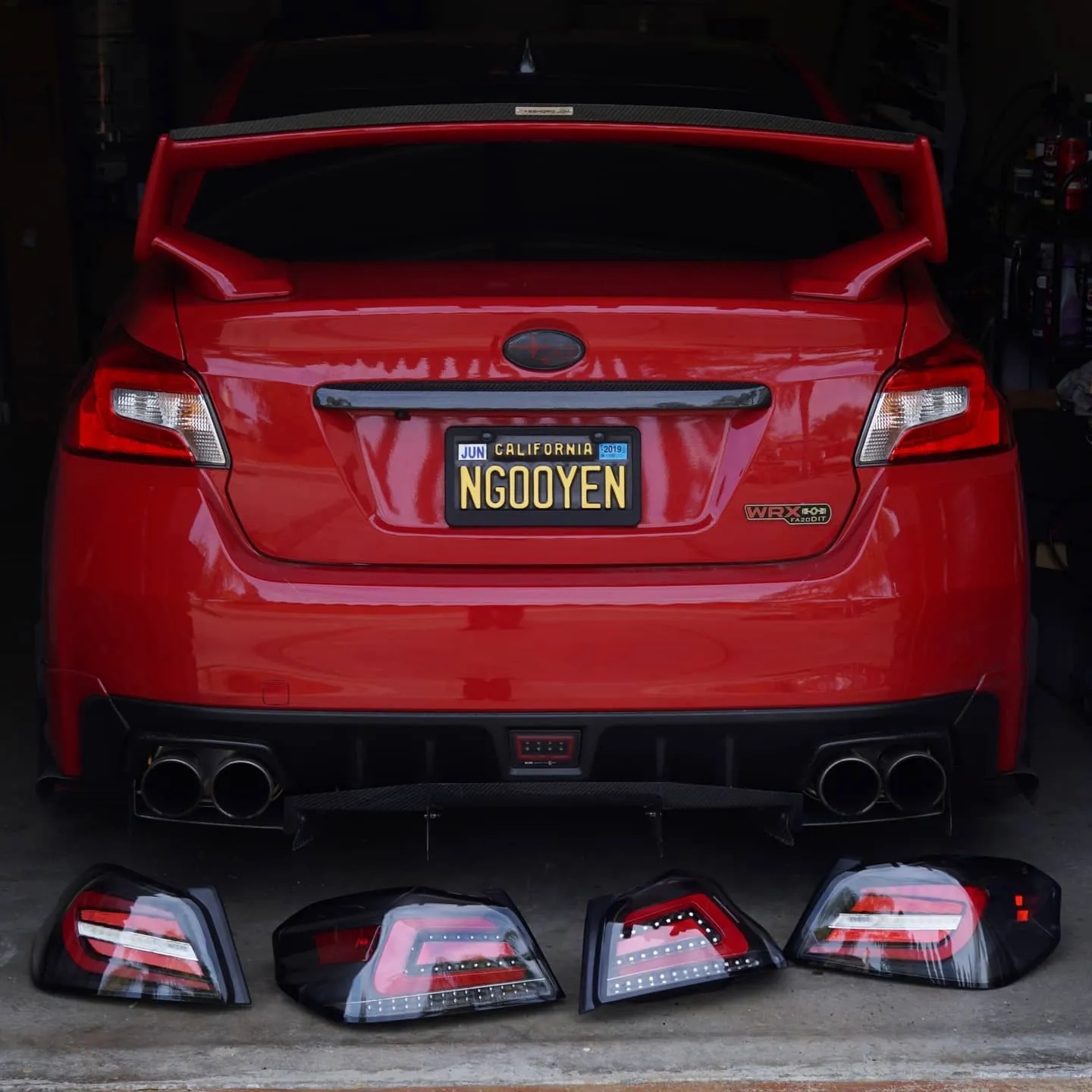
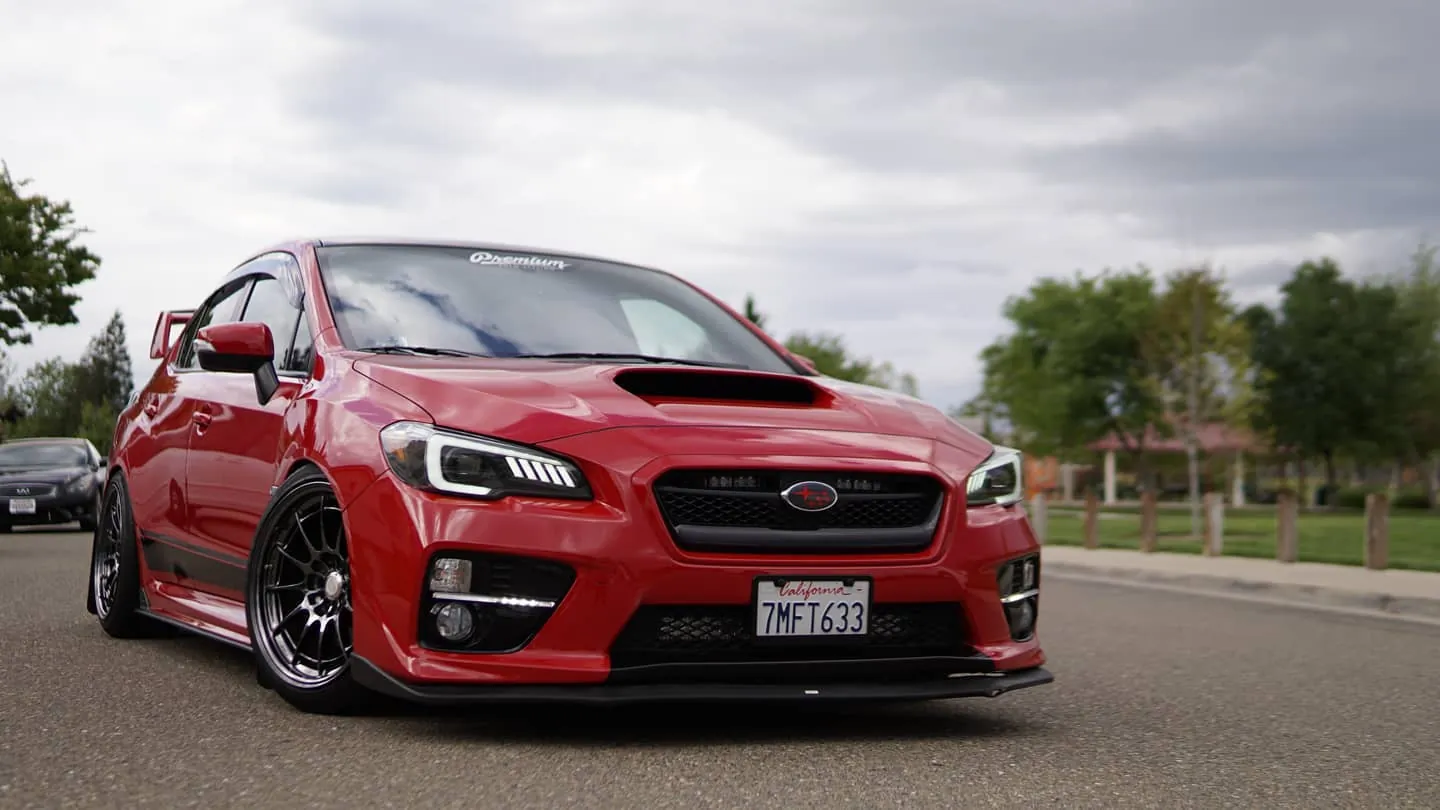
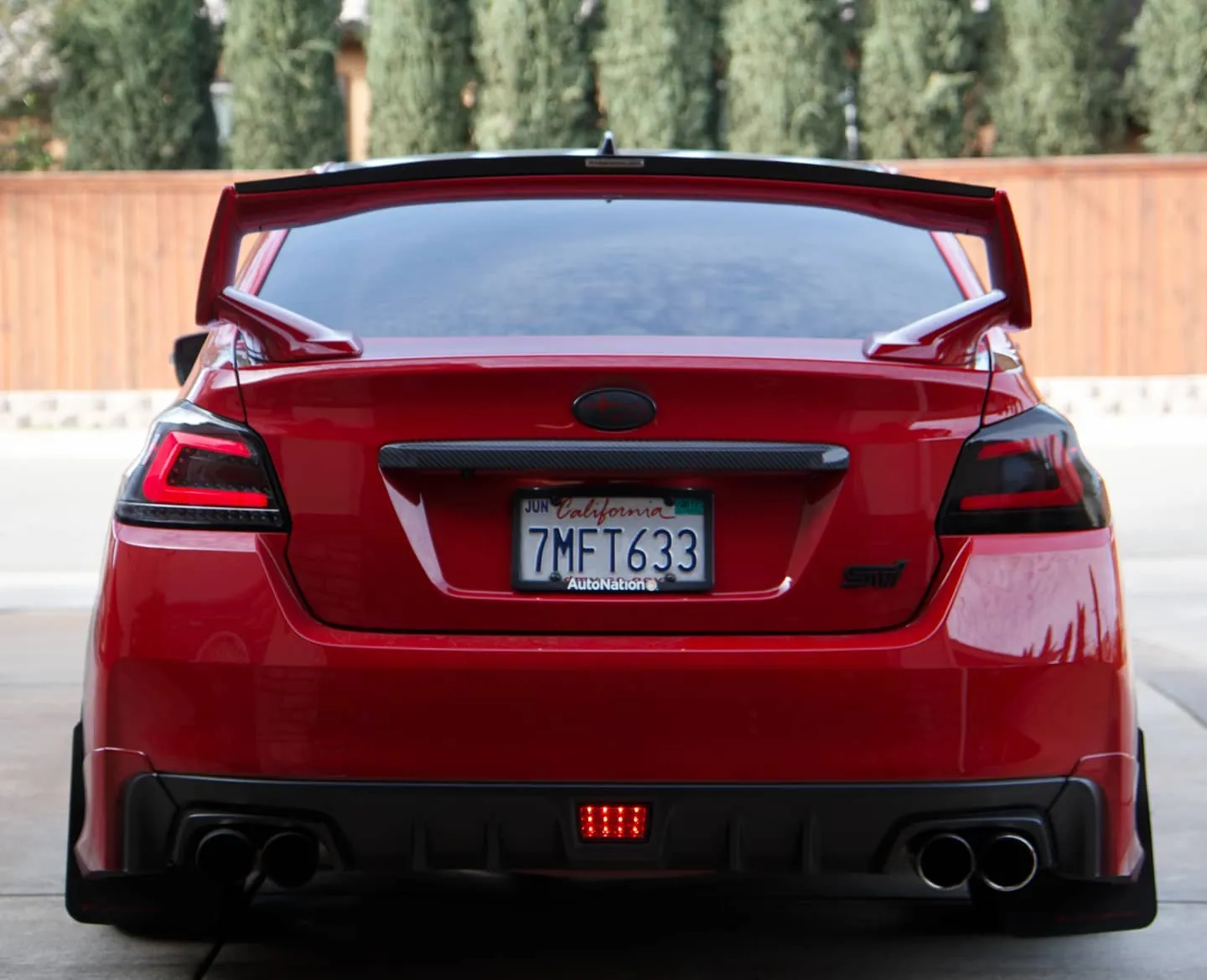
Photos from @ngooyen on Instagram. Follow for more.
Full transcript
Show the full transcript (494 lines) +
0:00So John has graciously donated me his system.
0:09He's already started ripping it apart before I could get out here.
0:13It's just waking.
0:30He uses this system and he's just gonna install the new system and inspire when it comes in.
1:19We had to transfer this over to the new unit. I always have a hard time even getting these off
1:30I always have a hard time getting these
1:37all.
1:38I'm going to be eating out there a little bit, it's just
1:52these two clips.
1:53Okay, yeah the two clips we got the menu inner button and the hazard
2:23So we're going to pop that off to make it easier to access the tab.
2:38So we're gonna pop that off to make it easier to access the tab. I got the hazard
2:46Connector pulled off first already the tab is on the top you won't be able to see it
2:51But this is what the tab looks like so I just press my finger on that tab and yank hard
3:00Removing these two screws right here to see if we can have better leverage with the vents
3:05And so once you remove the two screws
3:07The bottom trim just pops out
3:10That didn't take any force at all. So hopefully that'll give me
3:13They should be a little bit better view of what's going on here
3:18So back here. We're still messing with the menu tab. It's got to push down. So
3:24I think it's the same thing push
3:29But the issue is um as you're pulling out
3:33You could feel the
3:37The whole unit and start moving. Oh, yeah, you can just do it from that angle. Yeah, so
3:44There we go, there you go
3:47So this is what this tab look like
3:50so it's just
3:52This tab is really recessed in there
3:54So you got really dig I think you guys have somebody with fingernails pushed down in it
3:58So it could push down on this plastic piece of
4:02Enter tab for the menu toolbar
4:06Sweet so then I'm assuming we start moving the
4:16So there's four screws behind the knobs for the AC unit HVAC unit
4:22So grab the screwdriver
4:26Start removing these four screws
4:28How does the harness connection look does it look like we're gonna have to is it plug-and-play or are
4:32How does the harness connection look? Does it look like we're going to have to? Is it plug
4:36and play or are we going to have to? I have to see the back of it. Oh yeah, we haven't
4:42pulled that out yet. I got to screw these two bolts and then it just slides right out.
4:45I already got the bottom ones. Yeah, should be pretty. Hopefully it's mostly plug
4:53play because maybe a pain. I'm guessing it won't be. You're guessing it won't be a
5:03There's been some reviews of the base unit plug-and-and-play, but we never know because
5:10There's so many variations of this unit. No this unit. Yeah
5:13It might vary slightly so it's not kind
5:14It might vary slightly so it's not kind of be all
5:18By the book
5:21Yeah, that's just clips. It's gonna take up
5:29I have some prying tools, just be careful. If you want to use
5:30I have some prying tools.
5:32Just be careful if you want to use this.
5:50That's the other one, you just have to put it this way, there's two more on the bottom.
6:27I know the newer 2016. Models you actually have to open the side of your car hold this out
6:30I know the newer 2016 models, you we actually had to open this side of your car, pull this
6:36out.
6:37I'm really hoping that it doesn't get it up.
6:59So back to the back of the HVAC.
7:00Back to the back of the HVAC
7:02There's four screws on the each corner that you removed and then there's only two tabs
7:08This one and this one you got pull you got pull up on the tab
7:15With the flat screwdriver pry tool to be able to remove
7:20The HVAC piece so it seems like a zip tie back here. I don't know why
7:36What are we looking back here?
7:52What are we looking back here?
7:54Stop Clarion unit.
7:56That's completely different.
8:01Yeah, the bad news
8:06Completely different. This is your main harness controls
8:13Then you got the that's the ground
8:18This is
8:21Probably
8:22Steering the controls and you get your antenna. This is most likely USP or it's no antenna. I'm not sure how to cut this
8:36I'm not sure how to cut this, but I think I'm just going to get pliers.
8:42Okay, you just gotta put the pliers.
8:44And then this is your grounding wire.
9:02The other thing, but you're looking for some diagonal pliers to cut off the zip tie, but
9:07Oh, so it's like a multi-use zip, oh multi use zip tie good job super
9:26It's really hard to see, press it down, press
9:56Maybe you can press it down, you can just press it down you cool.
10:01Maybe you can press it down you just press it down you cool
10:05All right, and there's the stock head unit and it's glory
10:08Stock head unit has XM. No one doesn't have XM
10:13Has HD radio. No one doesn't have HD radio. This one is
10:19Model number PF 3630
10:22Manufactured in February 2014 and we're already replacing it. I'm 43
10:37how are we doing on time?
10:409.15 minutes
10:43well
10:44if we i mean we could always just leave it halfway and take off in like Jason's car or something
10:51all right let's actually hope this fits
10:55Oh, maybe it is a plug and pull.
11:01Oops.
11:04So, this might not.
11:09Okay, it is the other one.
11:11You see these sprongs?
11:13Yes, I suppose it should be that way.
11:18It's the not clipping in.
11:20But it fits.
11:22It's just not clipping in.
11:23these other blue wires is my my very connecting thing so I think I'm just gonna
11:28remove all this stuff right now clean it up
11:39all right so we're gonna hook it up we're just gonna hook up the audio so that's
11:45the audio and that's the stock harness right yeah that was plug-and-play
11:49This one's for the RC Jacks, an hour from my car, you don't really need, this is all
11:56you really need to start it up.
11:57We have the GPS antenna, all test that in a bit, and then you have USB's right here.
12:00I'll test that in a bit and then give you a speed right here
12:04So we're just gonna first fire up
12:09hopefully
12:11Everything's good. He's
12:28Having
12:33Okay, so lights up we get the we get the
12:43dimmer switch working right off the bat as you can see off on
12:49Subaru logo, please check audio system
12:55Money show that ever so what John's referring to is
13:02So, what John's referring to is the information display up there. I didn't get a video of it,
13:06I don't think I caught it on video, but it said, just please check of the audio system,
13:09I'm gonna give it a little tone after two seconds and it went away.
13:17Touching works like it should.
13:22And then it just booted.
13:25Oh, and then you got the sound already.
13:28And you're controlling it with the...
13:31Serial controls are different apparently that on my control because I had volume
13:33Volume up and it went to the the Bluetooth screen
13:38so we're gonna have to reset
13:41Reset up. I'm gonna turn it off so you the screen can be lowered right now, but this is actually really good as
13:47Is like this is functional
14:01That was the main thing right there, right?
14:03So let's hit the next song on the steering wheel control. Let's see what that does
14:09So we're gonna hit on the next song. Yeah
14:12So let's let's play a song
14:19So next song goes to a
14:21Menu time. Yeah, so I'm not sure you guys had it. Yeah. Yeah to change that you just have to go
14:33So it's gonna be under your settings settings, and we're at should be car settings jacks
14:43I find it
14:46I see settings when I see jacks. Oh, they're a cross-system system. Jack's gonna do
14:54So we can. Go to the wheel selection, and this is where you program. It to do whatever you
15:03So we can see better so for the next song button. We're gonna put steering wheel up. So it's gonna register back
15:12Back volume up. It's gonna be while you're just calibrating the steering wheel to the jack settings under the tablet
15:20So. I got four things right now. We still have four more buttons. So let's go to source
15:27Then press mode
15:29Sources, but there's a there's a there's a glitch within the system. We're
15:34I don't know you saw my last video where if you do the volume up and down it it kind of gets all funky
15:40Where it will only let you do four settings. So we might have to go back to it
15:45I'm okay with those four main settings. Yeah
15:50You just got a pretty much got a you have to figure out like the right sequence to get more than four
15:57Yeah, I think it's when you have so the issue right now is okay. Now we have five programs
16:02So the issue right now we have five programs
16:07So on the left side of the super steering wheel there's
16:10There
16:13There's eight buttons and we're gonna try to get all eight buttons on the left side of the steering wheel to work with this interface
16:20The issue right now. Well, but there's six red notes. There's six right now. So we have six well things
16:26We don't have is mode and source
16:28Because it's just just mean we yeah, so what John's doing right now is he's doing a different sequence of
16:33he's doing a different sequence of calibration because once he calibrates one, another one
16:43gets uncalibrated with the steering wheel controls so weird and you had this issue with your
16:51harbing-cordon system too right yeah other people have the same issues they say something
16:55with the volume switches being weird but the thing is you can you can program it
16:59certain buttons like if you never use our phone call let's say let's just have it
17:01Let's say let's just have it return to the home menu or you can turn off your system
17:05You can press these buttons. I had my talking button. So when I press the talking button, it would boot up my DPS
17:12Which is handy, so we'll just have it right there now. That's six buttons six functions
17:20Yeah, it should be good
17:26Okay, so let's make sure these buttons work
17:30That's based off of Wi-Fi. Okay, so
17:33Might be close enough. There's like two bars
17:39This is based on your
17:41Okay, this is based off the SD card and
17:44There's also a gig or 16 gigs inside too. Yeah, so
17:52Okay, so let's go hit volume. Let's see the volume button
17:58And then let's hit the next song
18:00okay cool so we know those at least those four volume up volume down next
18:07song and previous song work yeah it actually sounds pretty fire too all right
18:12so you want, you wanna get ready for church? I'm ready, ready? we still have 30 minutes
18:20forward because
18:31I'm gonna plug in the antenna so the antenna plugs right in on the Harman Kardon. You would have to use this adapter
18:39there's still
18:41Auto-antenna is not plugged in yet. So we'll have to see if the radio still works
18:45And then we're gonna use the GPS signal to see if that plugs it it should work
18:51GPS GPS
18:53Figuring out where to mount your GPS is another story. I
18:56Had a mind mount into the dashboard or under the glove box. Some people have it right like
19:00people have it right like right here they just put it like right on top of here
19:05which is actually where I wanted to put it but I had such a struggle to fans
19:10that didn't do that but let's just make sure let's just put in a spot where we
19:15know it's gonna work a hundred percent then we check GPS strength. I mean if you
19:21want to have it right there and make it look all better out no. No. Not today.
19:28So the main thing right now like I know the GPS is gonna work it's just whether
19:34the the radio works. So this is how I kind of troubleshoot. You kind of just turn it on.
19:45I'm just happy, like, you don't have to worry about any speakers and everything.
19:50So that is an issue with you, you have to worry about what speakers were working because
19:54you had to use a different harness right?
19:56Yeah, I got to check driver front, passenger front, rear all corners, and then yeah, it's
20:01rear all corners and then
20:04Yes, the pain. Yeah, because the Harman Curd don't how many speakers is that one?
20:07It's the same amount of speakers plus one subwoofer. Okay
20:12So six speakers check for but now we don't have to check for anyone because they all work with the space system since it's a
20:19stuck harness plug and play
20:21So let's check out the radio app. I don't actually have on here because I never use radio, but
20:30So go into
20:32So when you say you don't have it on there that means you don't have it on this new interface
20:36Yeah you can hot you can put it in,ter
20:38So I hear some static
20:41Scoot at 102. 5...
20:45I hear, like, signals picking up, so...
20:47That's not maybe one of the three fire.
20:49What happened there?
20:51It was loading the audio thing.
20:53Okay.
20:55I have a lot of... I have, like, four programs that load up.
20:58Sometimes it cuts it.
21:00Which is
21:13So we probably have to wire that blue wire to an antenna wire that I got to find
21:17Because right now it has the antenna
21:22I think I think there was a guy who had an issue where he's like why is my radio signals works
21:27You might want to check this blue wire right here
21:29And then if we get this bad boy powered then you're not gonna have any issues
21:34But this this yeah blue wire sound plug into anything, huh? Yeah, and that's how it's gonna power the radio
21:42Then let's just check GPS
21:45SIGIC is what I use let me get off the Wi-Fi
21:48Oh
21:50For for me when I have hooked up to Wi-Fi my navigation gets all a kind of iffy
21:55But now it's see it connected to yourself in hotspot, right?
21:59It's connected to nothing right now. Okay, so there's nothing connected to the Wi-Fi and it works
22:04so
22:05Yeah
22:07There you go
22:10SIGIC
22:11Does SIGIC have Wi-Fi traffic?
22:14No, no, it it does if you have the real app
22:18If you have the real app
22:20This is a trial version. This is a offline base. So you can use it offline. So
22:26There you go
22:29Yeah, that's all you allow me the test this to out. So we're talking about speakers
22:35I don't want to pick this. I don't keep talking so it doesn't pop pick up copyright music
22:41I might have to set it up where it's you can play
22:472-in-1 power
22:49Power amp is a different player that I use. It actually sounds better than the stock one
22:55It has a better equalizers and better process processing
23:00So to tech to check your sound you want to go to your settings and it should be under
23:05What you call it the EQ look for the EQ thing
23:11I'm trying to find it and I can't see it audio effects my bed
23:15So we can check we're gonna check
23:22passenger front the passenger front driver
23:29Rear and then there you go. So everything is perfect
23:34So much number send them
23:36Oh
23:38That's that way of ensuring all the speakers work, right? Yeah, having you get up
23:43get up and listen, so
23:53How do you, you want this? You, the one in here or I had three m-safe on there right now
23:57This is actually a magnet to so hooks up to any kind of metal. We could have it like right there
24:01have it like right there yeah why can't we just put it right there that's where
24:04the evil guys have it so they have it like right here under this thing which
24:08which is really ideal.
24:10Why didn't you put it right there?
24:12Oh, because I was messing with these vents
24:16and I was like, you know,
24:18I had such a hard time trying to mount the vents
24:20the way I wanted it.
24:21So that's how it is.
24:23It's a magnet.
24:24It's pretty strong, I'll see it
24:27foresee it slipping or anything.
24:29And then I think we're out of the USB cable
24:43What's cool about this process so far as I was thinking that we were gonna have to remove this whole
24:48Center console piece right here with the shift knob and the boot and the gear select
24:54So does it seem like we're gonna be removing any of these cut pullers or anything? No
24:58I mean certain stuff like this
25:00So this is what this is Toyota USB?
25:02USB adapter you plug in this so this goes into the console itself
25:07So I'll show you where it plugs in it plugs in right here
25:11And this is come with
25:13Yeah, it comes with the system the newer ones don don't come with them or the new model that they shipping out kind of lame
25:21And then you learn get a USB
25:24And then you actually get two USB's so we can put these anywhere we want
25:28Okay, with this adapter right here. It's like 10 12 bucks you plug this in
25:35Like so and then you plug it in straight to the
25:39The harness the factory harness
25:41Then this one's already pre-wired so it's all the way in here
25:45So that's that's for your armrests. Yeah that way we don't have to open it up
25:52And run the wire just buy the 12 dollars out there
25:55But this is mine so
25:58That way like three weeks
26:01i had a custom made from 8064 but i think you can just buy the one on amazon
26:08um. Yeah, so I don't know how you want to wire that.
26:13Let me just push this back.
26:22Let's see here.
26:24Oh yeah, I'm going to tell you.
26:25You want to wire some of your dash?
26:27Yeah, I just put my blood blocks.
26:32So that's how I have one go into my dash and the other one.,
26:38Actually, this is going well better.
26:41We can get enough words, like, we can test a lot of things,
26:44and then I'm actually kind of weird.
26:48I felt it slightly.
26:56I'm going to start chugging it in.
27:04There's a metal plate.
27:06You have one, the other one I take is stuck on something, stuck on this plastic piece right here.
27:15I'm going to remove it, and then I'm going to get it real, I'm going to actually stick my hand there.
27:20Is there any way to just throw one down here?
27:24You would have to cut something, you have to cut something because it's completely blocked off.
27:29Okay, I'm trying to have it hooked up to the, trying to feel through, it's like right on the
27:45I can't get to it, cause there's a bunch of plastic, I don't want to get to it.
27:58Yeah that's like the whole GPS thing and they were like, hold on, yeah, there you go.
28:06Woo now you can have two to use and charge your phone double time., actually charge
28:13faster than my uh my stock one trust me the stock one takes forever oh my god yeah the
28:18stock one in the center console now when it takes forever that's it still charges slow
28:23but not as slow as the stock one so i'm thinking maybe just use the 12 volt to charge if your
28:29phone's like completely dead and you don't have time right yeah this is more for if you
28:33This is more for if you just want to plug in audio
28:37All right, so I gotta figure out what we want to figure out this Nintendo thing
28:43I don't know what any of this stuff does right here and
28:49Stuff like that error message I think it didn't show up the second time when we turned it on again
28:54Yeah, let's turn it on right now. Let's see. I don't think it showed it up again
29:03Now they're still checking your audio system.
29:04There's no beep, blurring us.
29:06There's no warning message.
29:08Oh, there.
29:09They're checking your system.
29:10So we have wire or whatever to figure out
29:12out how to get power to that cable
29:14so it doesn't pop all that notification
29:16too.
29:18Oh, so that's why there is.
29:20So there's nothing saying power.
29:22Yeah.
29:24Aw, it shakes.
29:26Yeah, it, it's full issue to have it.
29:28Oh, please check audio system because we just hooked up the FM
29:32Yeah, but
29:34the U11 in toll pan which is right these
29:36aren't hooked up.
29:38That's why it's it's not reading anything. It's not gonna it's gonna be like hey
29:42There's no information being sent and there's no information that we can really send honestly, okay?
29:49But then now we have
29:54Radio let's see
29:57Fingers crossed dude
29:59You can check your, you can change your station too, so
30:09So we got, okay so previously we did not have any FM signal, so what did you do John?
30:23With the stock head unit, the wire is already powered through the main harness, but with
30:30main harness but with this unit you there is additional auto ant you need to feed
30:36that power to get the additional power out for the head unit just kind of go in
30:40there and just plug straight in there we tapped it with a t-tap it's going to be
30:44number nine on your harness yellow black yellow with a black stripe where you see
30:52that t-tap now you have radio that's your FM radio fix right there you have an extra
30:59cable that's it there's this extra harness this was used for the harming
31:05carton I was able to just plug it in no problem to do the same thing because you
31:10it's required to have this extra power but with the stock 2015's they have their
31:15own little antenna that actually works
31:17just plug-and-play
31:20good job John problem resolved for all the people that are having FM issues
31:28hope and then so that's the antenna the can systems you got the USB adapter then
31:42the oxen USB port that's through the center console right now but we're
32:15I'm not connected to the USB port that's through the center console right now.
32:36trying to figure out how the audio even though yeah even though to see I'm
32:45saying it's a different carrier so it's always a little bit different yeah on my
32:50neck I actually choose what where the audio goes out so this is just as quick
32:56next video through the USB but
33:14video through the USB but the audios through the bluetooth right now and then of course
33:28this is kind of like android auto right now what John saying earlier but
33:33Android auto right now what John's saying earlier but it's in driver mode to go it's
33:58okay cool and then what do you would you say about oh yeah I go back to that normal
34:01cool and then what do you would you say of. Oh yeah I go back to that normal what
34:08The driving mode it's gonna be in your app drawer. Actually, you can do it right here
34:21It's free apps and then just go right I'll drive money right now
34:28That's kind of an Android auto screen
34:32I think I'm moving USB cable too much or it just restarted so
34:35Yeah. Why did you restart it?
34:39Your
34:41battery might
34:43might be low.
34:45You probably want to stop doing this.
34:47When your battery is too low, your things start
34:49turning off.
34:51Unfortunately, the gallery has stopped.
34:53It's just a weird thing that happens.
34:57Yeah.
34:59Okay.
35:01Let me turn it off.
35:03Oh yeah, that'd be good if we don't hopefully charge the battery a little bit.
35:16Yeah, this is going well though.
35:21I know it's not like a hundred percent like oh this is bug free of course but it gets the job done.
35:26I'm gonna look at the manual real quick see.
35:30can system which is like and it's not this glossy it's glossy
35:51but it's like I can't I don't you see my reflection
35:55but there we go so it sends the text on here too well hands-free completely you
36:12can kind of like see the moon was this right here okay Google okay Google
36:20McDonald's McDonald's try mode might be call Annie call Annie call Annie
36:51sorry the speakers that's mom and he's dad and he's roommate any thing about that
37:01is uh oh you can call any say hey how does how do I sound right now she's
37:08maybe if I I could just do it this way which is way more easy yeah the thing
37:13is that too is it's gonna be probably going off your microphone in here roll
37:17on the phone not this tablet microphone or not the head unit
37:22I'm gonna call Jason and this is this is going through my phone right now this
37:32This is going through my phone right now. This isn't even going through the oh, yeah
37:36It's not through the speakers. Yeah, because this is the Android auto so this is all
37:42Let's see if I hear the speaker.
37:45So the speaker you hear is through my actual phone
37:48and not through the card device.
37:50And of course, this guy never answers the phone.
37:54OK, so what do we have going on back here?
37:56So we use the stock OEM antenna to pop into here.
38:02We have the GPS antenna.
38:04the.
38:04This is the FM antenna, right? FM and AM antenna.
38:07Okay. The stock one, we do not, the stock XM,
38:11this system does not have XM.
38:13We have a USB's.
38:16So this will hook up to USB's, to your center console,
38:20as well as wherever you want your other USB.
38:23We have this one, through our glove box.
38:25So runs behind the radio,
38:29and then the other one is hooked up through an adapter.
38:36adapters how we had the uh yeah center console working it's right here that
38:42great one yeah so you bought this where'd you buy this I bought this for 80 64 for
38:48like it's like 14 shipping
38:52shipping okay and then your main wiring harness and you only need to buy
38:57this adapter if you want still won't utilize your USB inside your
39:02looks a lot cleaner yeah and yeah that's it so then this is your main
39:06one make sure you connect this wire for a radio why are you pointing out here the
39:11blue wire okay and we have hooked up to the main harness
39:15so you ran this blue wire to the main harness connected into the yellow blue
39:21wire which was I think you said number nine yeah it's on the number nine
39:24yellow black and that was our FM radio fix okay so we-so we're gonna tuck up
39:32these wires up and then you got test drive it pro test drive for like 15-20 minutes
39:47and you had your GPS which is not up there higher is better magnet it is
39:54magnet but then we even, had 3M on there thanks yeah I was just like what the heck
39:59it's stuck on there and then uh these are the stock 2015 events so what you did
40:06here it seems like is you had to shave the bottom so instead okay so you shave the
40:13bottom so it would connect to the bezel that comes with the GPS or the in-dash
40:19Android head unit screen but instead of this way because the clips don't fit
40:25the clips don't fit securely you have it just plugged into the vent it seems
40:30Look, we can, yeah, you want to do this first, too.
40:33It's really tight.
40:34It's really tight.
40:35, it's really tight.
40:36It seems like the fix for money people on month, too.
40:38Yeah, it's up.
40:39It seems like a lot of people doing that.
40:40All right.
40:41Let's go.
40:42All.
40:43All right.
40:44So you want to tuck these wires
40:55back here.
40:56And we didn't yeah, so we didn't plug it in already just because that cable doesn
41:03yeah so we didn't plug it in already just because that cable doesn't extend
41:07very far and you plug in the top one first or the bottom one first
41:12doesn't matter we'll do the bottom ones for more clearance and grays on the
41:18bottom and I think the pin was on top
41:22all right I heard the snap it's gonna go and then whites on top and the tab pin
41:28it's on the top too yeah so this is where requires finesse you want to hook up the
41:37so this is where it requires finesse you want to hook up the bottom so it has an
41:41anchor point like a fulcrum did you see a fulcrum when you heard you want you know
41:49this is where it's going to be anchored to uh but then we kind of fit into these
41:54with little holes you want to have these vents out so see how it's in but now the
42:04fans are not actually nobs are too recessed yeah you gotta just kind of
42:10like finesse it so this one's good the right one for is kind of like a pain
42:17right now the fitment is perfect so I don't want to like move it too hard where
42:20it affects this but you should at least have it so you can actually rub your
42:25finger on it this one is way too resist still so this is yeah you're just gonna
42:33just gonna have to work on it until you have it kind of the way you like
42:47sticking out already. That way you get a nice fit, but now it might not have, um,, it's not plugged into the vents.
42:57That's why it took me so long to do it. I was like, yeah, dude, I got the vents fitted. You want to try?
43:07Okay, so you said you want to put the vents fitted first before you use securely mount
43:20the bezel in we know the left one if it's in it fits pretty good but the right one you
43:26You want to have it sticking out a little bit?
43:28Yeah, let me start it off.
43:30ter. Okay, that's perfect secure.
43:34So, there's one clip on the full, this one's not fully clipped in yet.
43:38Okay, and why don't we want to fully clip this one in here.
43:42Okay, and then there is a...
43:44Oh, you're better.
43:48No, no, no. It's just-
43:50My battery might be dying.
43:52It's at zero.
43:54And then as you can see here, there is one more clip by this audio in minus right between the.
44:00Okay, so should I clip it in before I put the vents in?
44:03No, you can't leave that one loose.
44:05Okay, so now...
44:06the main focus is the main focus is this top point.
44:07is this top point the fitment on this area is not that important compared to the top and then when
44:17we push it in the vents are gonna still kind of push in a little bit more this
44:20one's gonna need some work but it is doable because I had it in like a
44:26pretty good yeah a little earlier than the start of the
44:40advice for people out there is just what the 15s is by the 16 yeah if I was on do
44:47it again I'll buy the the beds because they were what they're maybe 30 bucks 30
44:53bucks each I mean once it's in there I have a feeling once you push it in
45:04Oh yeah
45:19See now, it's really tight. You got to compromise this one
45:25Because there's just four clips up here probably gonna be easier on your side because I have a big steering wheel in that way
45:30big steering wheel in that way yeah so it's just that last clip I'm gonna turn
45:49this off
46:00Oh, look at this, can I be farther or closer?
Machine-transcribed from the full-length video and lightly cleaned (product names fixed). Watch the video for exact wording.
Next step