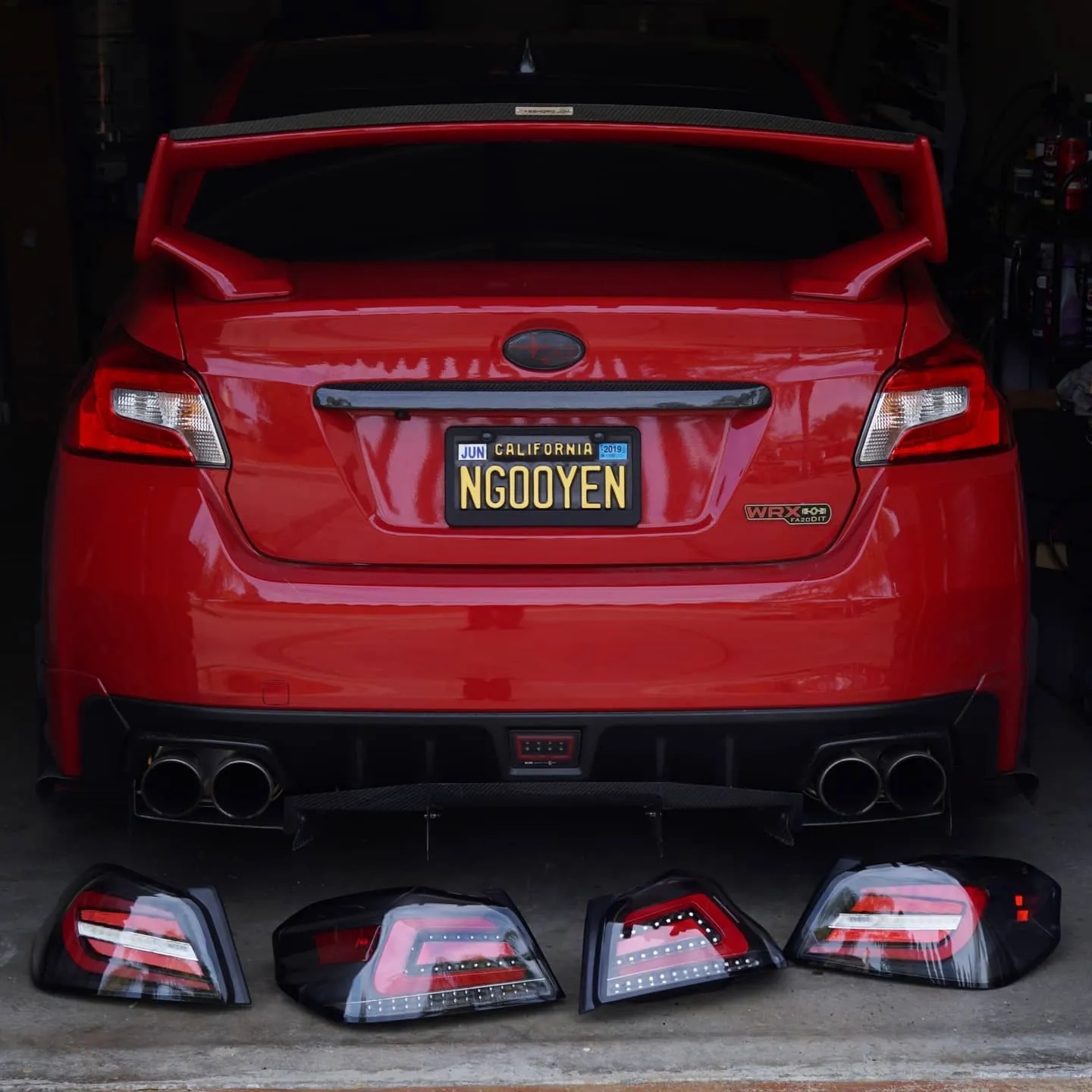
Gallery 29 photos
Photos from John's Instagram
Follow @ngooyen ↗Install guides for this car
Aucar Tesla-Style Head Unit: Subaru WRX / STI 2015–2022 Install & Review
Pull the glovebox damper and center trim, unbolt the factory unit, plug in the 28-pin, 10-pin and antenna harnesses, and wire the reverse camera through the CCD-IN lead.
iDoing CarPlay Head Unit: Subaru WRX 2015–2022 Full Install
Pry off the brittle dash trim, pull the factory radio, move the vents and climate controls over, plug in the 28-pin harness and test CarPlay.
Building a WRX in 10 Minutes: Every Mod on John's 2015 WRX
A music-backed montage of every install John did on his 2015 WRX over four years, with his full mod list and buy links from the description.
Top 5 Mods for the Subaru WRX (2015–2019)
John's top 5 WRX mods from his 2015 car: Cobb Accessport, Subispeed TR taillights, an Android head unit, wheels and suspension, and the Perrin shift stopper.
Modded 2015 Subaru WRX Walkaround: STI, JDM and Subispeed Parts
A 2016 walkaround of John's 2015 WRX: STI lip, skirts and trunk, JDM DRLs and rear splash guards, Subispeed taillights and F1 fog, a 3" cat-back, a heavy shift knob, ISC coilovers and Megan arms.
Subaru WRX / STI 2015–2021 Head Unit With Real Knobs: Full Install + Wireless CarPlay
John's favorite WRX head unit so far: physical volume and tuning knobs, a glass screen and wireless CarPlay. Remove the 10 mm bolts, glove box damper and airbag-side trim, swap the trim and vents, plug in and test.
iDoing 9" CarPlay Head Unit for the Subaru WRX / STI: Old vs. New Version, Install & Review
John unboxes the 2021 iDoing unit for the WRX/STI, compares it with the 2017–2018 version (plug-in OEM-style connectors, 4G antennas, better heat sink), installs it in a 2017 WRX, and tours CarPlay, Android Auto and the settings.
iDoing CarPlay Head Unit: Subaru WRX (2017) Full Install, Shell Transfer and Reverse Camera
Remove the glove box side bolts and the trims, pull the clipped-in factory radio, then move the vents, buttons and climate control onto iDoing's custom shell, plug in the 10-pin, 6-pin, 28-pin, CAN bus and antennas, wire the reverse camera to CCD AV-IN, and squeeze it back in bottom-first.
Suma Performance Convex Mirrors on a Subaru WRX: Blue-Tint Glass with Turn-Signal LEDs
John's last mod on his WRX: swap the side-mirror glass for Suma Performance convex, blue-tint mirrors with heater elements and built-in turn-signal LEDs, tapping two wires into the blinker circuit.
Seicane Android 9 OEM-Fit Head Unit for the 2015+ Subaru WRX / STI / Forester: Full Install
John installs a Seicane car-specific Android 9 head unit in his 2015 WRX: trim removal, dry fit, the 10-pin and 6-pin plug-and-play harness, a Harman Kardon amp-turn-on pin fix for no sound, Bluetooth, transferring the climate controls and vents, USB adapter, and steering wheel key learning.
E85 / Flex Fuel on the Subaru WRX: One Year of Daily Driving Experience
John shares a year-plus of E85 on his WRX with a Cobb flex-fuel kit, DW300, and a Ron Watson E50 tune: big power vs 91, cheaper fill-ups despite worse MPG, stock clutch holding, and one long-trip hiccup when ethanol ran low.
Android Head Unit Reliability Revisited: Daily Driver After Long-Term Use
John revisits his Dasaita Android head unit after long daily use: boot time and Bluetooth still snappy, Android Auto every commute with no hiccups, glass still clean, with only minor dust under the seal as a nitpick.
Subispeed V2 Sequential LED Tail Lights on the WRX: V1 vs V2 and Install
John compares Subispeed Spec-D V2 sequential full-LED tails (matte black, smoked lens, white bar) to his V1s on a 2015–2021 WRX/STI: no raw LED glare, matte vs gloss, plug-and-play install without the V1 fuse tap, and on-car sequential demos.
Dasaita Tesla-Style Vertical Android Head Unit for Subaru: Prototype Tour and What to Change
John tours a Dasaita Tesla-style portrait Android prototype for the Subaru WRX: snug fit, overhang design, capacitive climate quirks, PX3/2 GB limits, video aspect-ratio cutoff, and the changes he'd want before a final version.
Why Built-In DSP Matters on an Android Head Unit: Sound Tour
John walks the DSP menus on an Android head unit: multi-band EQ, crossover/cutoff, sub control, fader, delay/soundstage, and speaker-distance tools — roughly 20% clearer/thumpier sound vs non-DSP, best over wired Android Auto/CarPlay instead of Bluetooth.
iDoing WRX Head Unit: 2015–2019 Full Install, Reverse Camera and SWC
John walks the iDoing WRX harness pin-by-pin (power/audio, steering-wheel controls, reverse camera by year), tests reverse before buttoning up, then sets Bluetooth and the button-backlight color to match a red WRX interior.
iDoing Android Head Unit: 2008–2014 Subaru WRX / STI / Forester Full Install
Swap a messy aftermarket radio in a 2008–2014 Subaru (WRX shown; STI and some Foresters with the same dash) for a larger iDoing unit: transfer the vents, use the OEM-style harness, add a Metra antenna adapter, then run GPS, Wi-Fi and USB into the glovebox.
2015 Subaru WRX Base Radio: Full Android Head Unit Install
Start-to-finish Android head-unit swap on a 2015 WRX with the base radio — vent screws, trim, plug-and-play harness, steering-wheel-control programming, GPS, the OEM antenna and a tight final fit.
2018 Subaru WRX: iDoing Android Head Unit Plug-and-Play Install
On Tom's 2018 WRX, John pulls the factory radio (four 10 mm bolts, including hidden side bolts), transfers the hazard switch and climate panel, and plugs in an iDoing unit — USB and FM antenna adapters are the only extras.
Seicane Android 8.0 Oreo Head Unit Review: What's New in 2018
John compares a Seicane Android 8.0 octa-core unit to the older radios: cleaner settings, smoother 3D maps, remappable wheel keys, adjustable RGB, a sleep boot, and why this is his favorite daily-driver mod.
Seicane Android 7.1 Head Unit: 2017 WRX / STI / Forester Interface Review
A 22-minute tour of Seicane's Android 7.1.2 interface in John's WRX: cleaner apps, RGB, plug-and-play fitment for WRX / STI / Forester, and his verdict that it is a big step up from the year-old unit.
iDoing Android Head Unit: 2012–2015 WRX Software Tour & Built-in CarPlay
A 17-minute software tour of the redesigned iDoing unit in a Subaru WRX: 2.5D glass, dimming with the headlights, UI skins, and built-in Apple CarPlay over USB.
DDPAI Inexpensive Dash Cam Overview and Install (Subaru WRX)
Unbox, hide the power wire, and set up an affordable DDPAI dash cam in John's WRX (HomeLink / compass overhead console). He routes it stealthy, walks the Wi-Fi app, and says the footage is sharp for the price.
2015+ WRX Harman Kardon Android Head Unit Wiring and Hum Fix
Wiring tips for an Android head unit in a 2015+ Harman Kardon Subaru WRX: AE64 10-pin / 6-pin / 28-pin harnesses, RCA pre-outs instead of the main-plug audio, and Best Buy ground-loop isolators that killed about 90% of the hum.
Subaru WRX Welcome Lights, Side Camera and Dash Cam
Walkaround of the extra tech on John's WRX: proximity puddle / welcome lights, a clean-mounted Uniden R3 and dash cam, an Avest side-marker turn signal, and a side camera into the Seicane Android unit.
Digital TV Tuner for a Dasaita Android Head Unit: Subaru WRX Install
John plugs a Dasaita digital TV tuner into the labeled TV-tuner port on his WRX head unit, powers the dual antennas, scans for channels, and warns you not to watch this while driving.
Dasaita Head Unit Redesign for the WRX / STI / Forester
John reviews Dasaita's redesigned WRX / STI / Forester Android unit: tighter bezels, curved corners, capacitive RGB buttons, 1280×600, and a plug-and-play install. CarPlay still needs a dongle on this model.
BRZ External DSP Install for an Android Head Unit
A plug-and-play external DSP on a BRZ: sandwich it between the 10-pin and 6-pin, hide it in the glove box, then use the front/rear bass and treble and the on/off switch. About 10 minutes, and a bigger difference here than on John's WRX.
Apple CarPlay Adapter on an Android Head Unit
A first-look iPhone CarPlay dongle on an Android head unit: USB-to-Lightning, the AutoPlay app, an allow-USB prompt, then CarPlay, messages, Pandora and Waze come up on their own — pixel-sharp, no extra setup in this clip.
iDoing Built-in Apple CarPlay on an Android Head Unit
Plug-and-play CarPlay on an iDoing Android unit: open Z-Link, use USB 1 and a Lightning cable, and CarPlay, Phone, Apple Maps, Messages, Podcasts and Siri come up with no extra adapter — though Android Auto on this unit still needs a dongle.
The Cleanest Subaru of 2018? John's Red 2015 WRX Mod Montage
A short, music-backed montage of John's red 2015 WRX in its third year: Varis-style rear diffuser shots, a WRX next to an STI, and a second-gear pull, with his full mod list and buy links from the description.
2015 vs 2016+ WRX iDoing Head Unit Vent Fitment: Silver or Black Border
Which iDoing Android head unit fits your WRX vents: 2016-and-up cars with silver-trimmed vents need the silver-border model, and 2015-only cars need the black (non-silver) border model, because the vent clips sit in different places.
How to Get a Dasaita Android Head Unit for Cheap (AliExpress Sale)
John walks through Dasaita's official AliExpress store during a pre-Black Friday 11.11 sale: why he likes Dasaita (low noise, lots of accessories), the WRX/BRZ USB adapter, the Tesla-style unit he misses, and the WRX unit with vent options.
iDoing USB TPMS Valve-Cap Sensors on an Android Head Unit Install
External valve-cap tire sensors plus a small USB receiver add per-wheel pressure readouts to an iDoing Android head unit. Screw on the caps, plug the dongle into a spare USB, install the TPMS app, and switch bar to PSI.
Android Auto on an Android Head Unit with EasyConnection (USB)
On a PX5 Android head unit in his WRX, John gets Android Auto running for free: install EasyConnection on the unit and the phone, plug in by USB, mirror the screen, and enable USB debugging on the phone.
2015+ Subaru WRX ADD W1 v3 Oil Catch Can Install
John installs the ADD W1 v3 catch can on his direct-injected 2015 WRX to cut carbon build-up on the intake valves: pull the engine cover and intercooler, bolt on the bracket, Teflon the fittings, and route the turbo-side and manifold hoses.
WRX Burble Map: Phatbotti Tuning Crackle Tune on a Q300 Exhaust
Ron Watson at Phatbotti Tuning added a crackle (burble) map on top of John's E-tune. With a quiet Q300 cat-back and a cat, the pops still hit hard; John says it drives normally and recommends adding it if you're tuning with Phatbotti.
The Cleanest Red Subaru WRX of 2017? John's 2015 WRX Year in Review
A music-only montage of John's red 2015 WRX through 2017: night and parking-garage shots, parts unboxings, new sequential-style headlights, meets with a white WRX, a black BRZ and a white Civic Type R, and fall-color rollers.
Android Head Unit One Year Later: Still Worth It? (Seicane WRX Review)
After a year with a 9" Seicane Android head unit in his 2015 WRX, John covers sound, the quad-core hardware, the one freeze he had, apps on Android 4.4 KitKat, XDA updates, and whether it's worth buying.
$6 WRX / STI 3D Fender Side Badges Install (2015–2018)
Swap the factory fender side badges on a 2015–2018 WRX / STI for $6 black-and-red 3D badges from AliExpress: pull the old badge without popping the fender clip, clean with rubbing alcohol, press the new one on and hold it.
Subaru WRX 2015–2018 Oil Change with a Fumoto Drain Valve (FA20DIT)
Change the oil on a 2015–2018 WRX: drain warm oil from the 14 mm plug, install a Fumoto F-108N valve in its place for easier changes later, hand-tighten a genuine Subaru filter up top, refill with 5W-30 and check for leaks.
Hidden 32-Inch LED Light Bar Behind the WRX Lower Grille (Auxmart)
John tucks a $40 Auxmart 32" LED light bar behind the lower grille of his 2015 WRX so it's invisible when off: bumper off, test-fit 32" vs 22", zip-tie mount, wire it to the JDM DRL switch, then day and night light tests.
How to Vinyl Wrap the WRX / STI Front Bumper Lip (S207-Style Overlay)
Give a 2015+ WRX or STI the two-tone black front lip look with a pre-cut Premium Auto Styling S207-style vinyl overlay: pull the lip trim, clean the bumper, squeegee from the top center outward, then tuck the edges.
Diode Dynamics SmartTap Relay: BRZ / FR-S Install and Programming
Stop LED turn-signal hyperflash on a BRZ / FR-S by swapping in a Diode Dynamics SmartTap flasher relay, then program its hazard strobes, tap-to-turn count, wig-wag modes and lock flash with the turn-signal stalk.
Diode Dynamics SmartTap Relay on a Subaru WRX: Fix LED Hyperflash
Swap the 2015+ WRX's flasher relay for a Diode Dynamics SmartTap to stop LED turn-signal hyperflash: one bolt and a clipped trim panel, move the white clip to the new relay, then see the lock flash and wig-wag modes.
How to Remove a Trunk Badge and Fit an FA20 DIT Badge (Subaru WRX)
Debadge the STI emblem from a WRX with an STI trunk swap: mark its spot with tape, heat and peel it, clear the adhesive with Goo Gone, machine-polish the area, then pre-bend and place an FA20 DIT badge and wax it.
Buying an Android Head Unit on AliExpress: My Cracked Bezel and Return Story
What happened when John's AliExpress Android head unit for his WRX arrived with a cracked bezel: the seller's "it's just four screws" advice, shipping it back to China, a two-month wait over Chinese New Year, and what the $240 unit really cost.
Tinting Subispeed Tail Lights with Vinyl Film: First-Timer Results (WRX)
A first attempt at smoking aftermarket Subispeed tail lights on a 2015 WRX with Premium Auto Styling tint film: prep and clean, lay the film over the lens's tricky shape, then compare how the gloss film dims and diffuses the LEDs.
How to Vinyl Wrap the WRX / STI Trunk Trim (Premium Auto Styling Carbon Film)
Wrap the 2015+ WRX / STI trunk trim in carbon-look vinyl: remove the trim, clean it on the bench, lay the film, use a little lubricant to work out bubbles, trim the excess with a hobby knife and screw it back on.